 RGXbot
Before you start
Correct character loaded and at least one module configured.
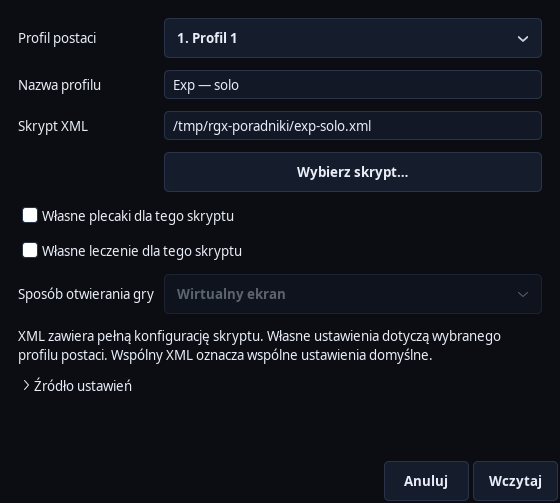 Open full screenshot ↗
Screenshot of the actual development-version interface. Settings and data are examples.
Create your own file
Choose File → Save as…, select an XML file and name the profile, for example Exp — solo. Choose slot 1–4. A copy under a new name lets you develop the route without changing the previous file.
Understand what you are writing down
XML includes routes, Action, Targeting, Looting, Healer, backpacks, navigation and the configuration form. The character profile points to this XML and stores selected custom settings. Login data is not part of a shared script.
Set the value source
In the profile window, select From Script or Custom for the character. Example: Two characters use the same route but have different backpacks and healing. Mark your own settings for these sections and save each character's profile.
Save edits
Apply changes the current settings; File → Save persists them in XML and the selected profile. The profile bar indicates unsaved changes. You can enable automatic saving of script changes separately in the File menu.
Check reload
Stop the modules, choose File → Load… and the same profile. Check the XML name, rules and overrides. After loading, review the configuration and deliberately start the modules you need.
Go back to an earlier version
If the edit was incorrect, open File → Script History… and select the correct copy. If there is a conflict with another panel, load a newer file or use Save As... instead of blindly overwriting it.
After completing the guide
After reloading, the profile restores the settings of the correct character.
Troubleshooting
Other characters' settings changed
Check whether the profiles use the same XML and whether the setting uses From script.
Modules are stopped after loading
It's expected. Loading the configuration and running the modules are separate activities.