Cavebot
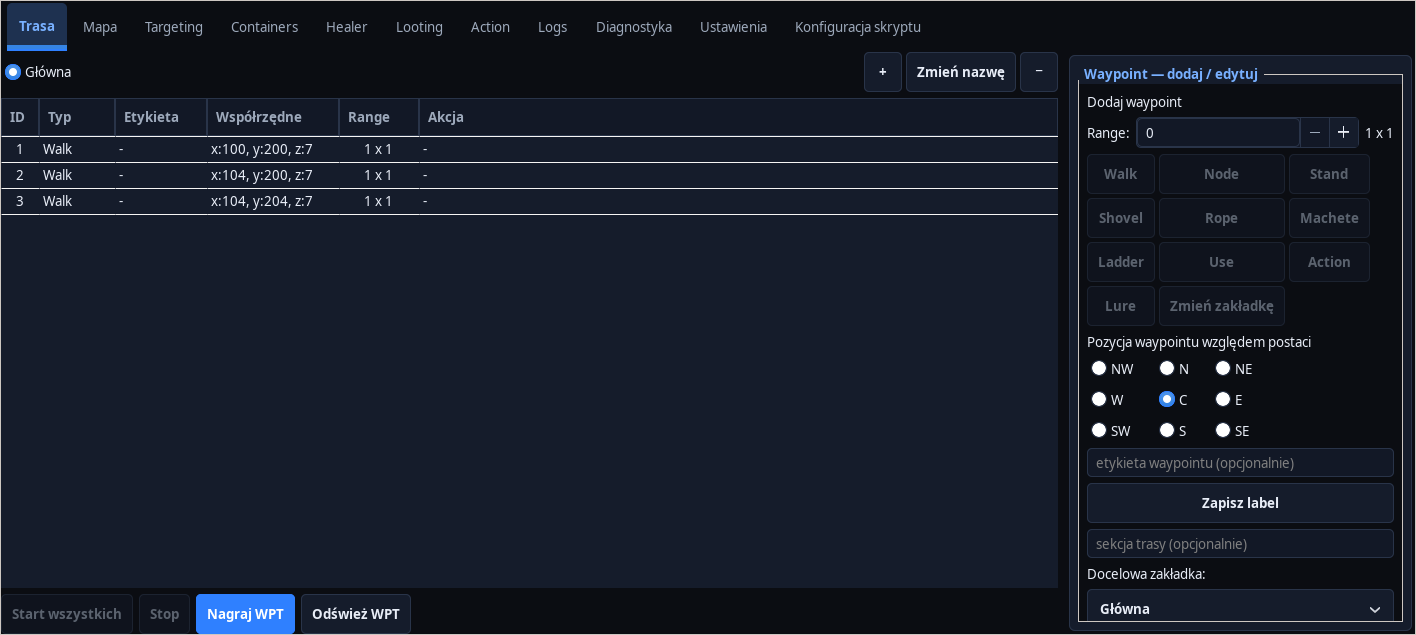
Walk/use/ladder waypoints, action order and clear route status in HUD.
 RGXbot
RGXBOT / DESKTOP MODULES
A Tibia bot for Linux with Cavebot, Healer, Targeting and Looting modules. Configure character profiles and use RGX HUB to manage clients and displays.
01 / MODULES
Each module has its own rules and is reported by the client to the RGXHub panel.
Walk/use/ladder waypoints, action order and clear route status in HUD.
HP and MP rules for spells and potions with vocation and cooldown checks.
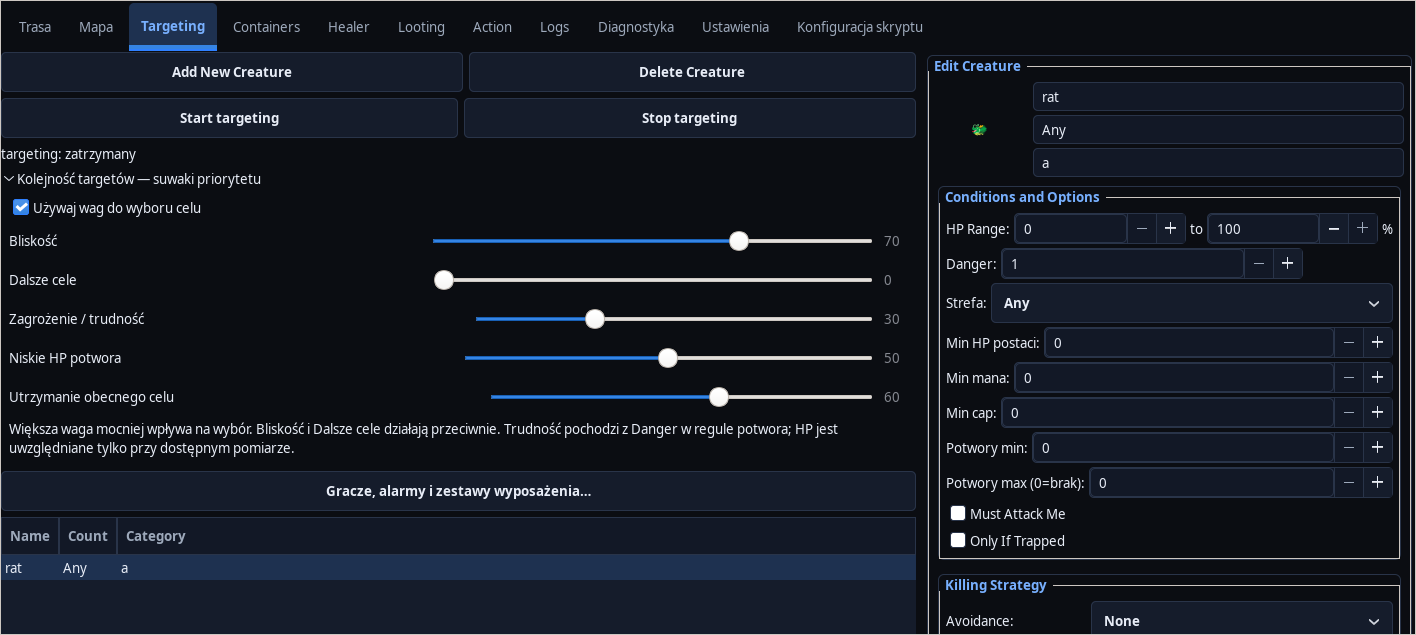
Creature priorities, range, chase, and conditions for entering and leaving combat.
Quick loot or whitelist, corpse queue and item filters.
Configurations assigned to characters and modules, with quick switching between sets.
HP/MP, target, waypoint, loot queue and module status without leaving the game.
02 / SYSTEM
The session is assigned to the account RGXHub and the registered device.
License minutes are counted by the server after a confirmed heartbeat.
The panel provides online time, EXP, stability and current character resources.
03 / LICENSE
The license is assigned to the account RGXHub. Time is counted only in an active session confirmed by the server.
04 / PRODUCT MAINTENANCE
RGXBOT / REAL INTERFACE
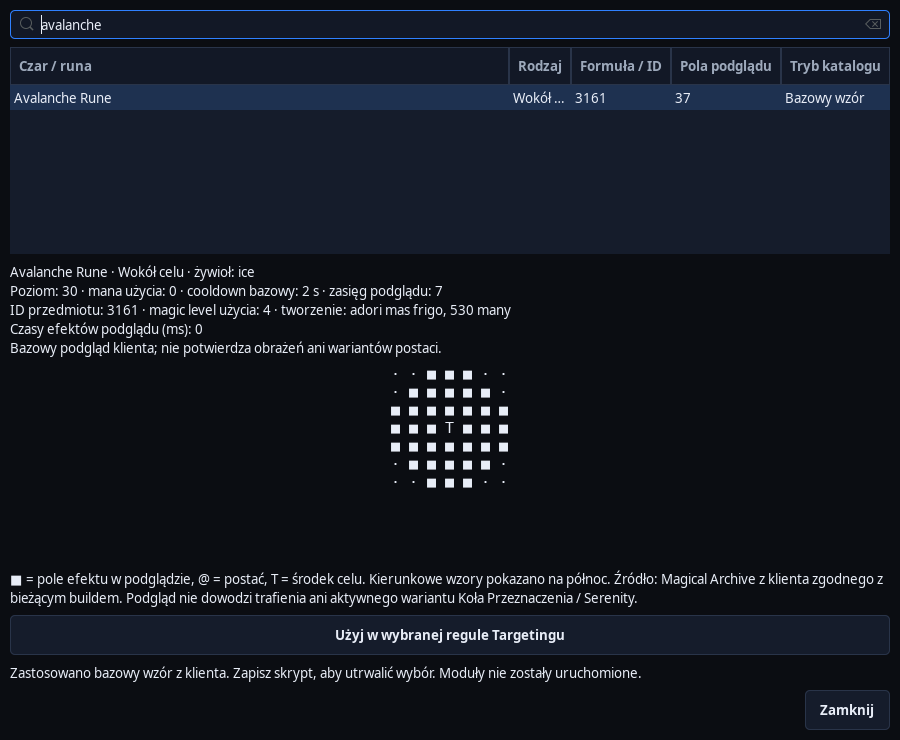
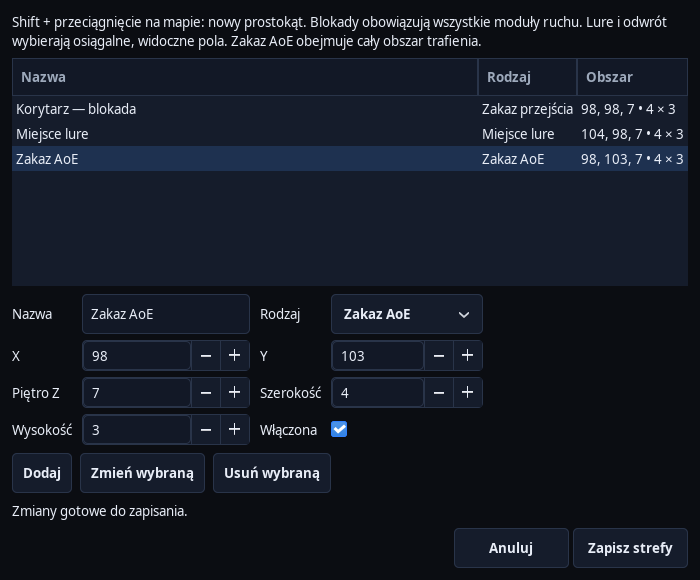
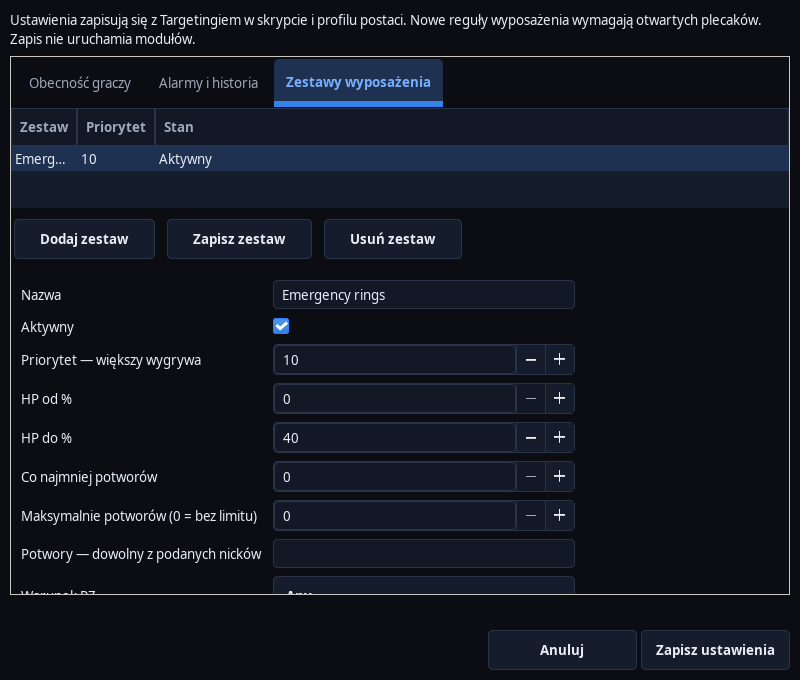
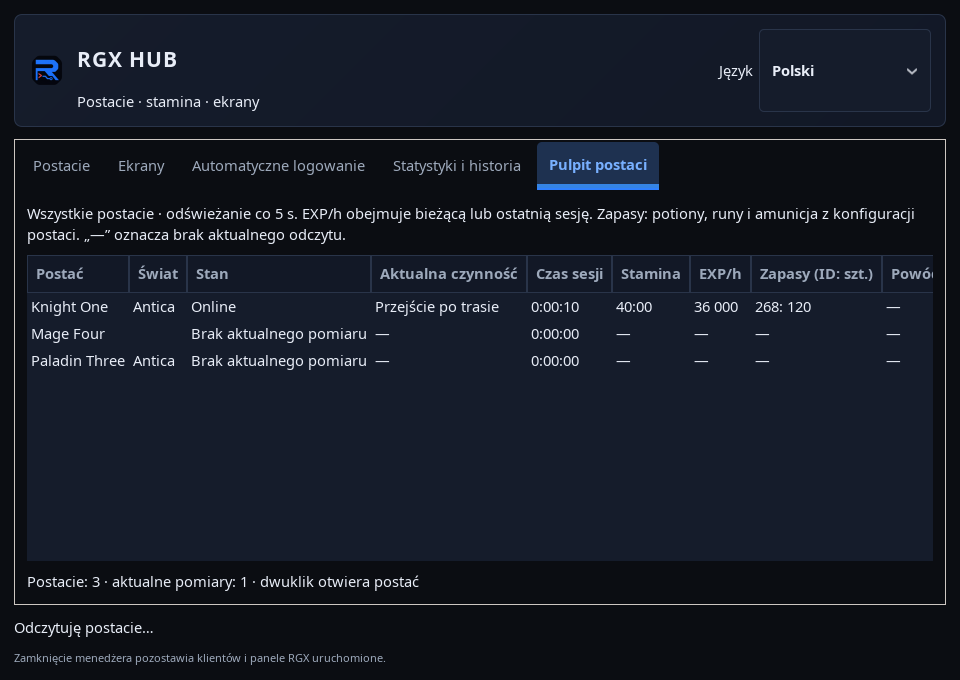
Screenshots from running RGXbot and RGX HUB show the actual windows and controls. The illustrations are from the development version and use sample settings and data.
 Open full screenshot ↗
Screenshot of the actual development-version interface. Settings and data are examples.
 Open full screenshot ↗
Screenshot of the actual development-version interface. Settings and data are examples.
 Open full screenshot ↗
Screenshot of the actual development-version interface. Settings and data are examples.
 Open full screenshot ↗
Screenshot of the actual development-version interface. Settings and data are examples.
 Open full screenshot ↗
Screenshot of the actual development-version interface. Settings and data are examples.
 Open full screenshot ↗
Screenshot of the actual development-version interface. Settings and data are examples.
DIAGNOSTICS / BLACKBOX
Check online time, EXP and the latest HP, mana and stamina report in your account panel.
Blackbox records connection changes, errors, EXP loss and low HP.
Filter events by level and download a JSON report for analysis.
Before using the tool, check the game server and client rules. RGXbot provides configuration and telemetry; the user is responsible for how it is used.